Last updated 2026-01-06T22:00:00Z
Intro
This topic contains all the relevant information, is constantly updated, when new blocks and functions are added.
Unit database
The program has a built in unit database. And it consist from such information about the unit:
- MSG Name
- Cable
- Type
- Car Brand
- Car Model
- Year (of production)
- OEM
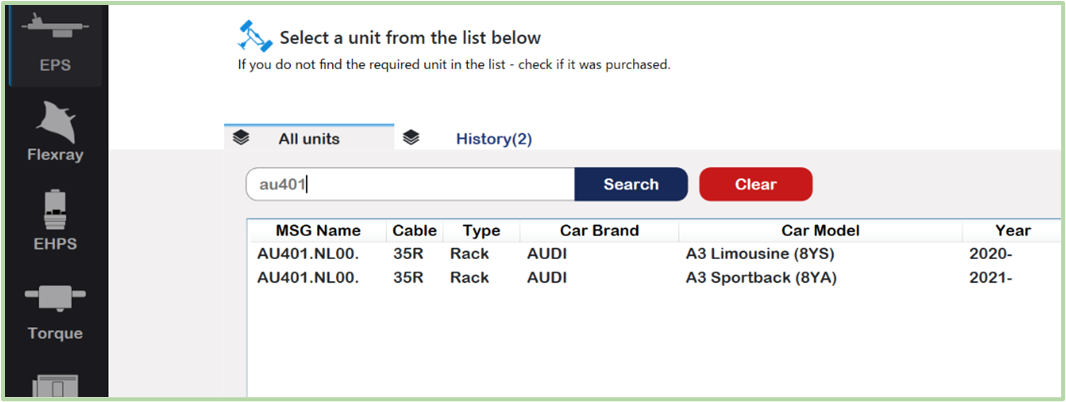
MSG Name
This is the internal MSG part number. In fact, the unit may have a different name, but this is our standard. You can find the part by this number in the search menu.
For example AU401
Cable
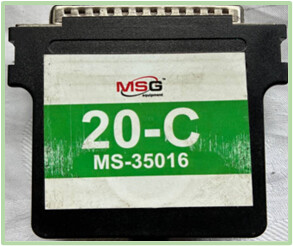
This column contains information about the diagnostic cable designed specifically for this unit.
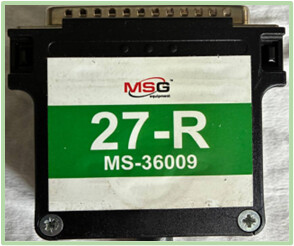
The full name is given in the format MS-XXXXX, and the abbreviated name is given in parentheses.
For example:
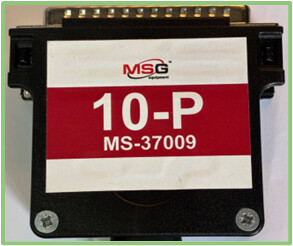
- MS-37009 (10P) - “P”, pump;
- MS-36009 (27R) - “R”, steering rack;
- MS-35016 (20C) - “C”, column.
Univ. cab (Universal Cable)
MS35670 – universal cable with CAN protocol support;
MS35671 – universal cable with CAN and CAN-FD protocol support;
OEM
An OEM (Original Equipment Manufacturer) number is a unique code assigned by the part’s original maker to identify that specific component, ensuring it meets exact quality, fit, and performance standards for a particular product, like a car or electronics, often used by mechanics and consumers to find genuine, perfectly compatible replacement parts
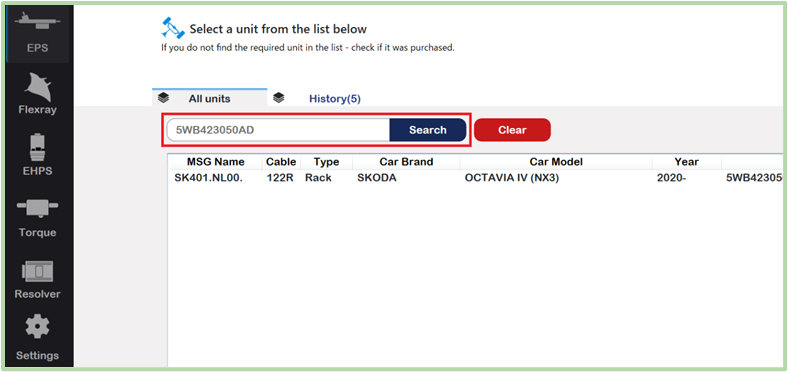
The main and frequently used field for unit identification.
This number is standard from the manufacturer, it will be the easiest way to find the part. Any number can be entered in the search field of the diagnostic tool, if it is in our database, you can quickly go to its diagnosis.
Car Model
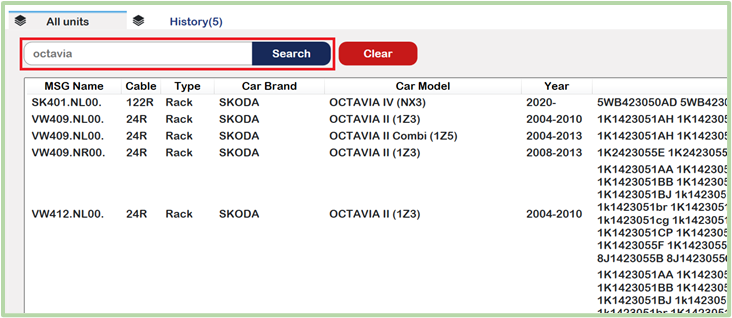
This field indicates which vehicles this part is used on.
You can also find it for quick diagnostics, as shown in the screenshot.
Picture of the unit
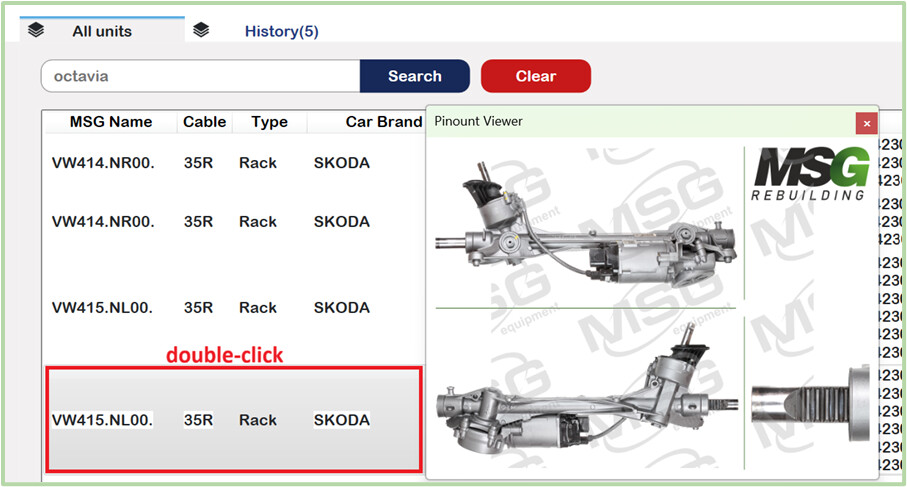
If we have high-quality photos of the steering rack, steering column, or power steering pump, they will also be available in the diagnostic program.
You can preview the photo by double-clicking on the selected unit.
Test screen
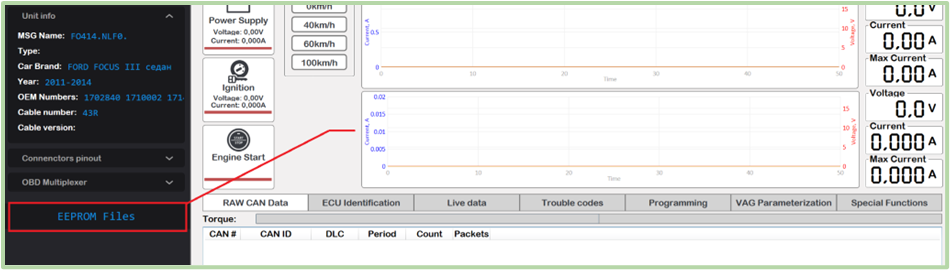
After selecting the unit and pressing the ‘Test this unit’ button, you will enter the test screen. This is where you can perform the actual testing of the unit. This section is about this mode of the program.
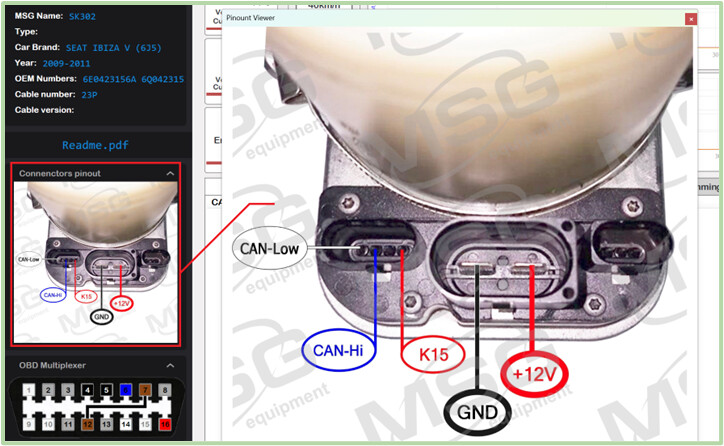
Connection diagram
The field indicates the general location of the connectors, as well as whether the control unit is designed for connection with a universal cable.
Diagnostic Features
The diagnostic features of the MS561 program replicate the operations of a diagnostic scanner and more. These include ECU identification, live data, trouble codes, etc.
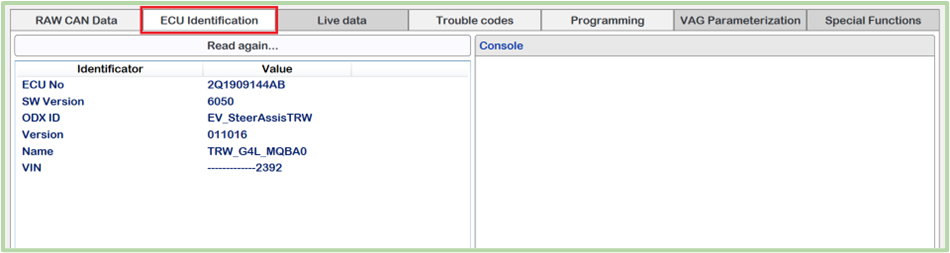
ECU Identification
If ECU Identification tab is available in the diagnostics menu it means we can reach such useful information as firmware version, VIN code, calibration, etc.
Trouble Codes
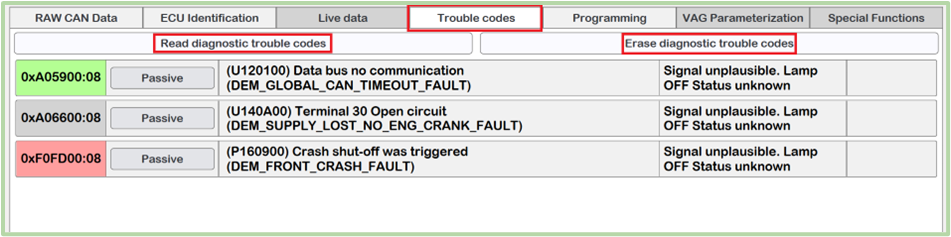
It provides the ability to read errors from the control unit, along with their description and status. The color of the error code means if this is important or not.
Green color - means Error is not important and can be ignored “on the table”
Red color - means it is critical error code and should be removed to make the unit work
Grey color - means that we don’t have specific information about this error. It could be good or bad.
Erase diagnostic trouble codes function is also available.
Live Data
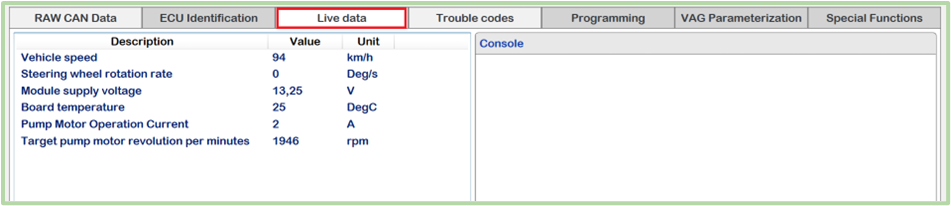
Live Data is a real-time monitoring function that displays current operating parameters from electronic control unit (ECU) while the system is active.
The function enables a technician to observe how the subsystems behave under actual operating conditions, which is critical for accurate fault diagnosis, verification of repairs, and performance analysis.
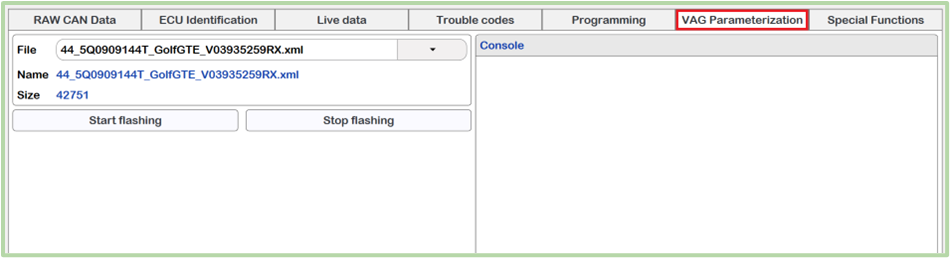
VAG Parametrization
This tab is useful for changing the control settings (parameters) depending on the body or configuration of the vehicle. This function is only available for the VAG Group line.
Programming
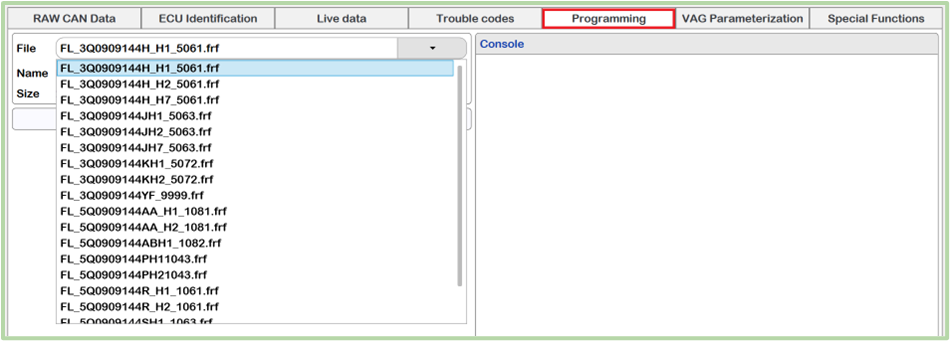
Programming is an advanced diagnostic scanner function used to write, update, or configure software and data within a vehicle’s electronic control units (ECUs).
This function allows you to fix many errors in the control unit at the software level, replacing the firmware file with a newer or older one, which in certain cases also solves certain malfunctions.
Special Functions
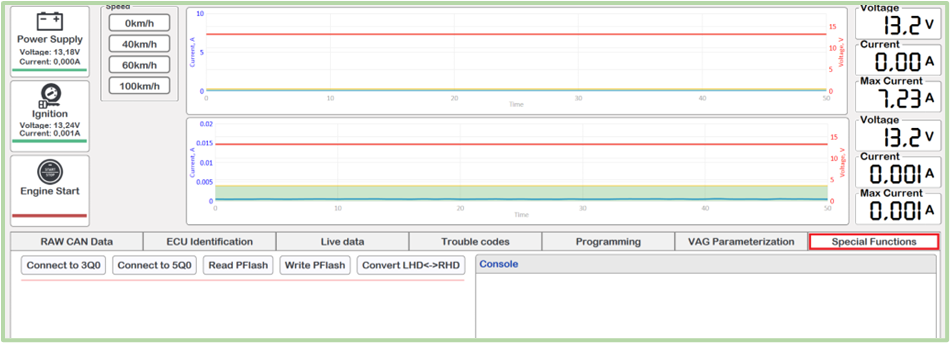
In the special functions menu, you can perform various useful actions, such as:
- Binding VIN;
- Reprogramming the steering rack from right-hand to left-hand drive mode;
- Reading and writing EEPROM;
- Reading and writing DFLASH and PFLASH;
- Coding;
EEPROM Dump
If we have the correct EEPROM dumps, which were read from a working control unit, we save them. They are then available in our device’s memory and can be opened and used for repairs.